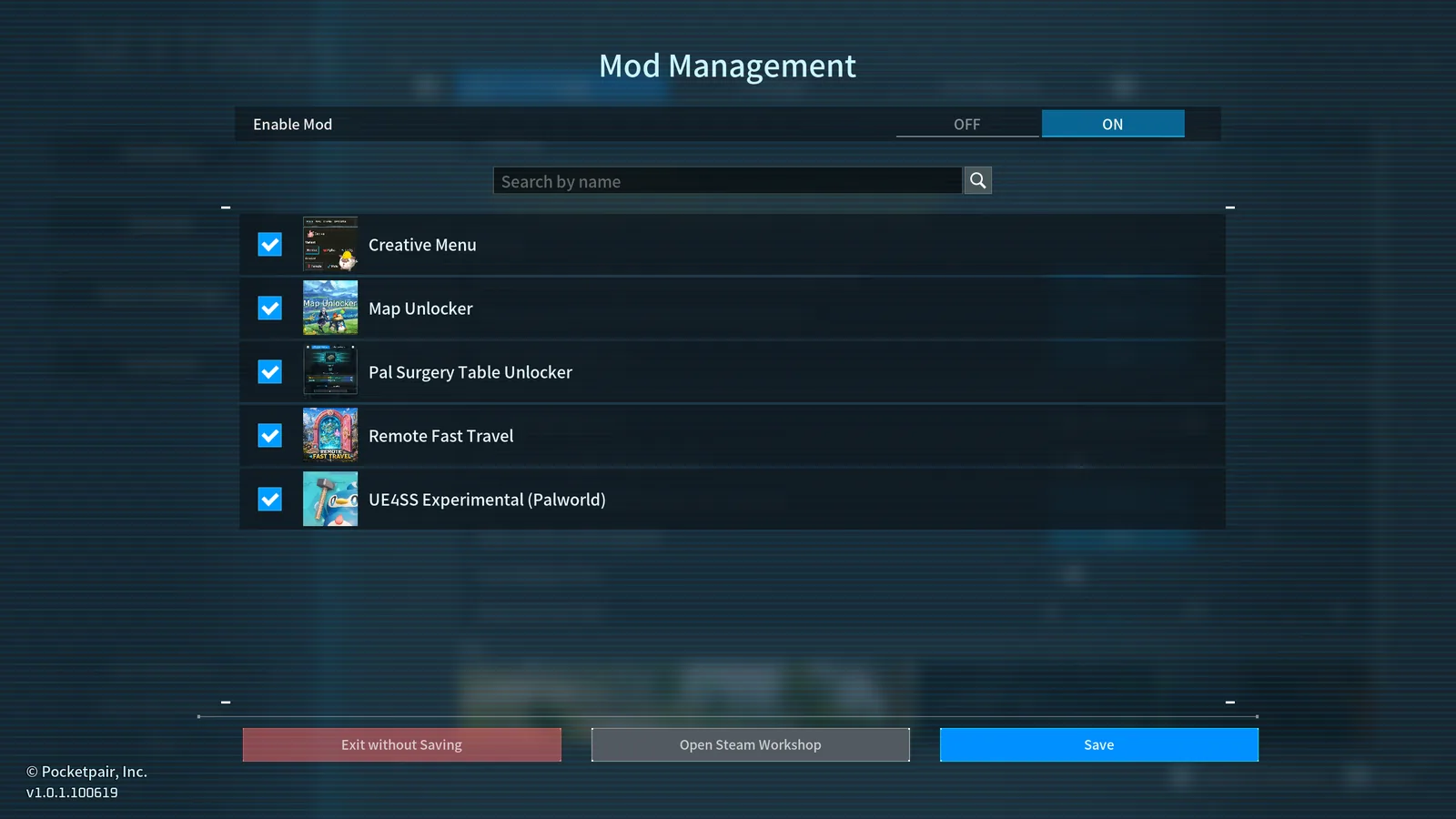
The Mod Management screen — where you actually enable mods on Palworld
Launch Palworld and look at the title-screen menu: below Options, News and Credits there is a Mod Management entry. It only shows up once Steam has downloaded at least one Workshop mod, which is part of why people never find it — you go looking for it before you have anything installed, don't see it, and assume it doesn't exist.
The whole order of operations, solo and multiplayer
Mods break down into two halves that people constantly conflate: getting the files onto a machine, and switching them on. Both halves exist on the client. On a dedicated server, only the first half is yours to do — the second half still happens on every player's PC.
| Step | Solo / co-op host | Dedicated server |
|---|---|---|
| 1. Get the files | Subscribe on the Steam Workshop | Install them on the server (host panel, or a Workshop ID) |
| 2. Server-side switch | Same machine — handled in step 3 | The server's own mod config must have mods enabled |
| 3. Client-side switch | Mod Management → Enable Mod ON → tick each mod → Save | Identical — and every single player has to do it |
| 4. Restart | Restart Palworld | Restart the server, and each player restarts their game |
"Mods Detected" — what Palworld tells you, and why it's worth reading
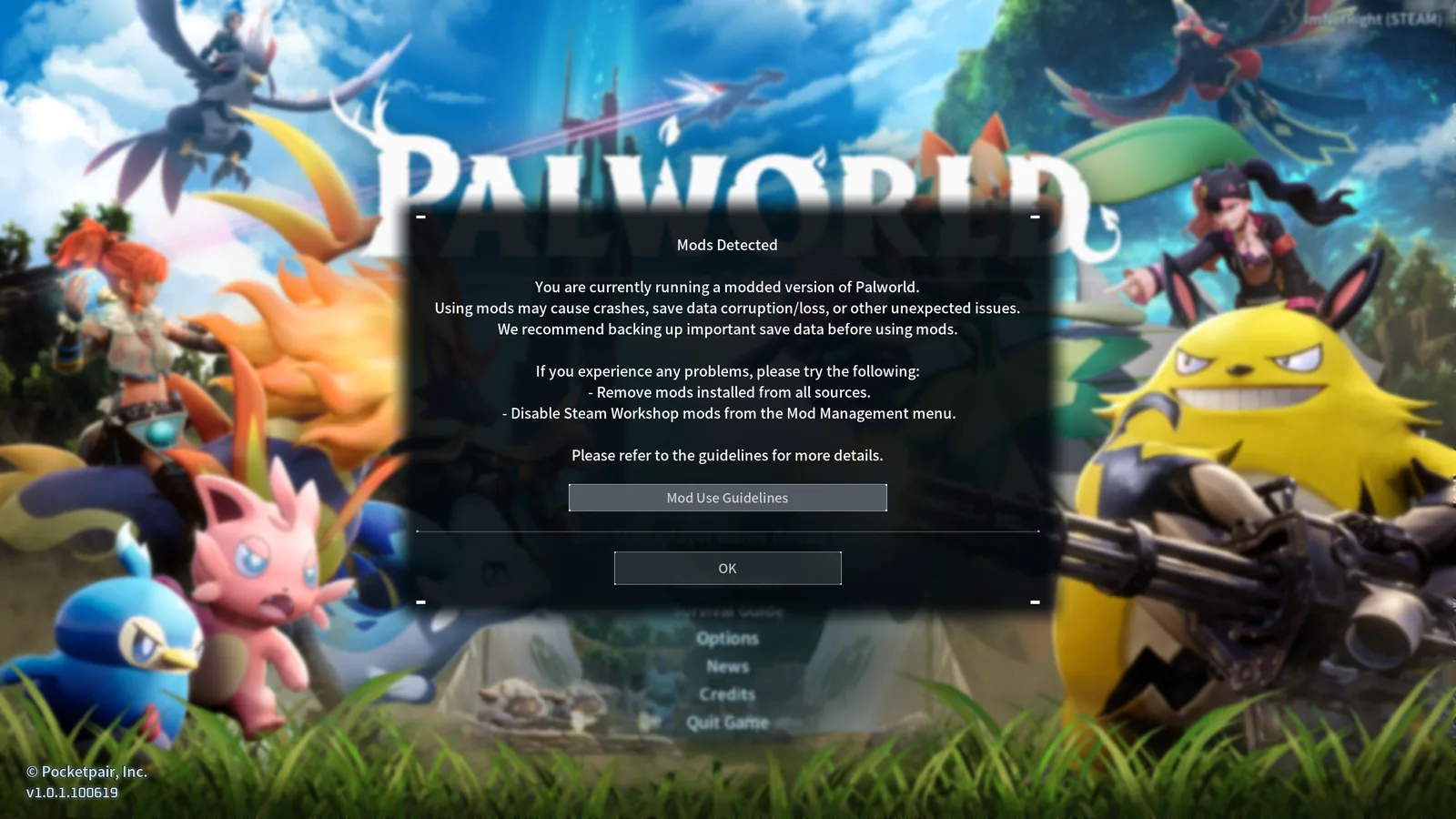
Once mods are genuinely active, Palworld greets you with this on launch. It is informational — press OK and carry on — but it is also the developers being unusually direct about the risk, and it is worth a moment before you go and install thirty mods on a world you care about.
Palworld mods still not working? Work down this list
In rough order of how often each one turns out to be the answer.
| Check | What it looks like when this is the cause |
|---|---|
| The mod isn't ticked | Everything looks installed, the game runs perfectly, no mod does anything. By far the most common. |
| Enable Mod is OFF | Every box ticked and still nothing — the master toggle overrides all of them. |
| You left without saving | Your ticks are gone when you reopen the screen. |
| You didn't restart | Mods are read when the game loads, not while you're standing in the menu. |
| A player is missing the mods | They can't connect, or they connect and see a vanilla world while everyone else sees the mod. |
| The server doesn't have them | Client-side visual mods may still work; anything that changes rules, loot or spawns won't. |
| The game just updated | It worked yesterday. Mods are built against a game version and need their authors to catch up. |
| Linux dedicated server | Workshop mods never appear at all. The official system is Windows-server-only. |
Palworld dedicated server mods — the Windows-only catch
Palworld 1.0 brought official Steam Workshop support to dedicated servers, and it comes with one hard limitation that catches self-hosters: it works only on the Windows dedicated server build. The native Linux server — which is what most cheap VPS setups and a fair few hosts run — cannot use the official Workshop system at all. Pocketpair also describes server-side Workshop support as experimental, so treat it as a thing that will change between patches.
Practically, that means if you are renting a Palworld server and mods matter to you, the question to ask your host is not "do you support mods" but "do you run the Windows server build?" A host on native Linux can offer you .pak mods dropped into the game folder, but not the Workshop list you see in game.
PalWorldSettings.ini.Palworld enable mods FAQ
Why are my Palworld mods not working?
Where is the Mod Management menu in Palworld?
Do all players need the same Palworld mods?
Do Steam Workshop mods work on a Palworld dedicated server?
What is the "Mods Detected" warning in Palworld?
How do I turn Palworld mods off again?
Will mods disable achievements or break my save?
More Palworld guides
The rest of our Palworld reference — all of it checked in game, not copied off a wiki.